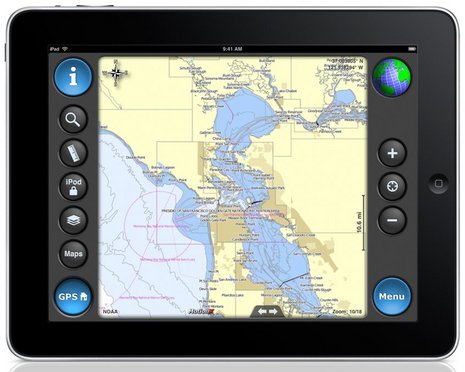
There is a multitude of sites through Google search which give excellent reviews and information about iNavX. Search and see for yourselves; but I'll place a few here; and there are links in the following information.
Try iNavX Review which has some great video tutorials.
Take a look at i-Marine Apps for their "Getting Started with iNavX.
And then take a look at the iPad holders from Zacor. And this waterproof casing here.
Finally link it all together with your electronics with an iMux as alluded to in a former blog or have it as a stand alone product with its own GPS from Badelf.
Here is a snopsis from iNavX themselves.......
iNavX™ brings the freely available, official and up to date NOAA RNC raster United States waters marine charts to your iPhone, iPod touch and iPad. Included detailed chart coverage: West Coast, Gulf Coast, East Coast, Great Lakes, Alaska, Hawaii, and US Virgin Islands.
One app for all your devices with access to thousands of charts and maps: official CHS Canada charts, Navionics Gold charts, Fish'N'Chip charts, HotMaps, NV. Verlag charts, Hilton's Fishing charts, TRAK Canada lakes fishing maps and Solteknik European waters charts may be purchased separately from X-Traverse.
With iNavX™ you can use the built in location services (i.e. GPS, cell tower, WiFi) to plot your position in real-time on the multi-touch scrolling and zooming and rotating (including course up) marine chart.
Using the iPhone's, iPod touch's and iPad's WiFi connection, iNavX™ can act as a repeater for popular marine navigation software that supports NMEA data over TCP/IP such as MacENC and Coastal Explorer. This includes GPS, AIS receivers & transponders, and Instruments (Depth, Speed, Wind, etc.)
In addition to real-time chart plotting and printing, iNavX™ supports waypoints & routes including KML (Google Earth) and GPX import/export, track log, measuring bearing/distance, GRIB weather forecast, tides/currents, anchor alarm, graphic instrumentation display and port/navaid search.
The power of a color chartplotter for a fraction of the cost.
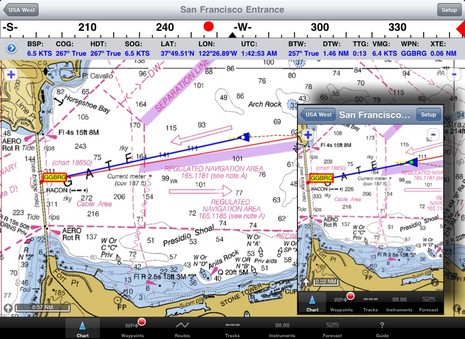
And Boaters.Com has this to say.....
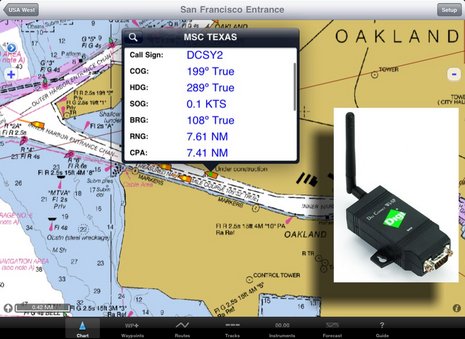
In fact, the iNavX web site now boasts "The power of a color chartplotter for a fraction of the cost" and, while I'll stay out of that argument for the time being, developer Rich Ray does make a good case for how far he's taken the software, and how able it looks on the bigger iPad. Note, for instance, the series of screen shots comparing iNavX iPhone and iPad versions. Ray has also gotten his program to play nicely with a Digi Connect WI-SP WiFi serial server, which means you can get AIS and other NMEA 0183 data flowing to your iThing without any other computer involved (and he even added a Digi Connect guide to his extensive help files).
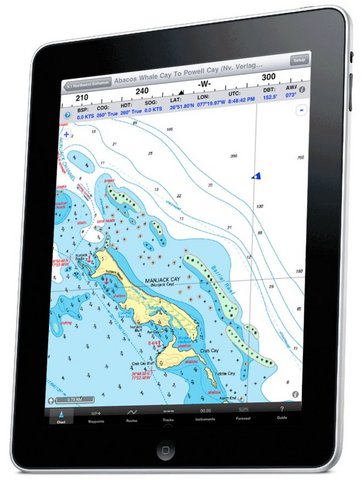
 And if you want to use your spiffy iNavX/iPad combo with anything but free NOAA raster charts, you'll be pleased to know that X-Traverse keeps growing its already giant cartography portfolio, and adding to what the service can do (new Facebook integration, for instance, plus integration with Navionics NavPlanner 2). When you purchase charts via X-Traverse you get two activations, so if you're already using them on, say, an iPhone but haven't activated them with a PC or Mac, you're probably good to go if you get an iPad. The exception: Navionics is pricing its iPad charts differently -- understandable, I think, given how inexpensive their iPhone charts are, and their many partnerships with companies that manufacture those old time chartplotter things -- though $50 for the new U.S. super region is not bad. That region includes the Northern Bahamas, by the way, but below is a sample of alternate NV charts of the same area, also offered by X-Traverse. Choices are good. And I'm not done...
 Navimatics has not only adapted its Charts & Tides program for the iPad, but expanded the included regions of NOAA ENC charts, lowered the price, and is just about to add support for ActiveCaptain! The implementation looks good on an iPad, too, as you can see below. As with MaxSea TimeZero 1.9 (just about to release!) and the Coastal Explorer 2010 beta, the ActiveCaptain data is cached so you still have it when not connected to the Internet. And we know Active Captain itself is also working on an iPad app. Damn.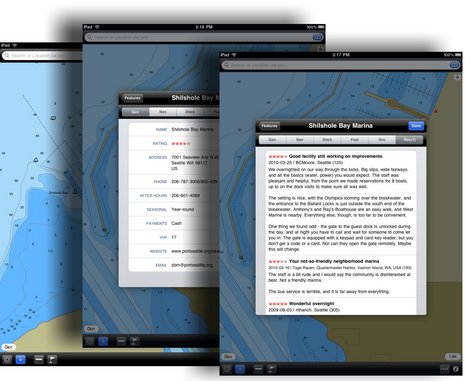
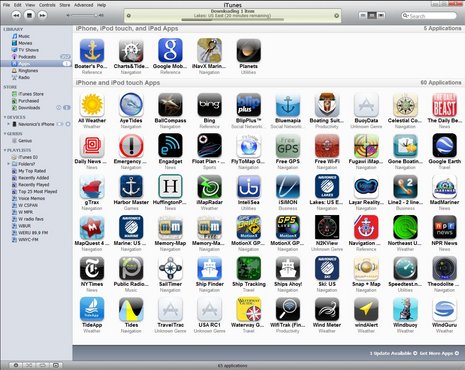 i-Marine Apps tells us how to get additional charts through X-Traverse
If you want additional charts other than the free NOAA charts you can purchase these through X-Traverse. This process is complicated, so follow below.
You will need an X-Traverse account to purchase and access your charts. This account will cost you $10.00 per year and allows you access to your charts through the iNavX app. Access to Grib weather files and transfer of waypoints and tracks can also be done through your account.
 Once you have your X-Traverse account you can then purchase additional charts. Make sure you purchase the iPad charts for download. They offer a wide range of Navionics, CHS Canadian Charts, Fish"N"Chips, HotMaps, NV Verlag and Hilton fishing charts.
To access and download your purchased charts in your iNavX app you need to add your X-Traverse account information to the app. Go to "Preferences" and select "X-Traverse Account". This is where you will add your email and password for your account.
Next select "Show Account Information" this will retrieve your account info showing you what products you have activated for use by the iNavX app.
You will next need to go back to the Charts list and select "Add More Charts to Menu". The next menu should show you the list of charts. The charts you purchased should show up as bolded. I purchased Navionics Gold Marine Charts 2011. Select this and another display will show the charts in that package. Turn "ON" the charts you purchased.
Go back to the iNavX menu and select the chart you turned on to view you charts. Select your chart title and download you your iPad.